Quick Guide · Everyday controls
How to charge
1
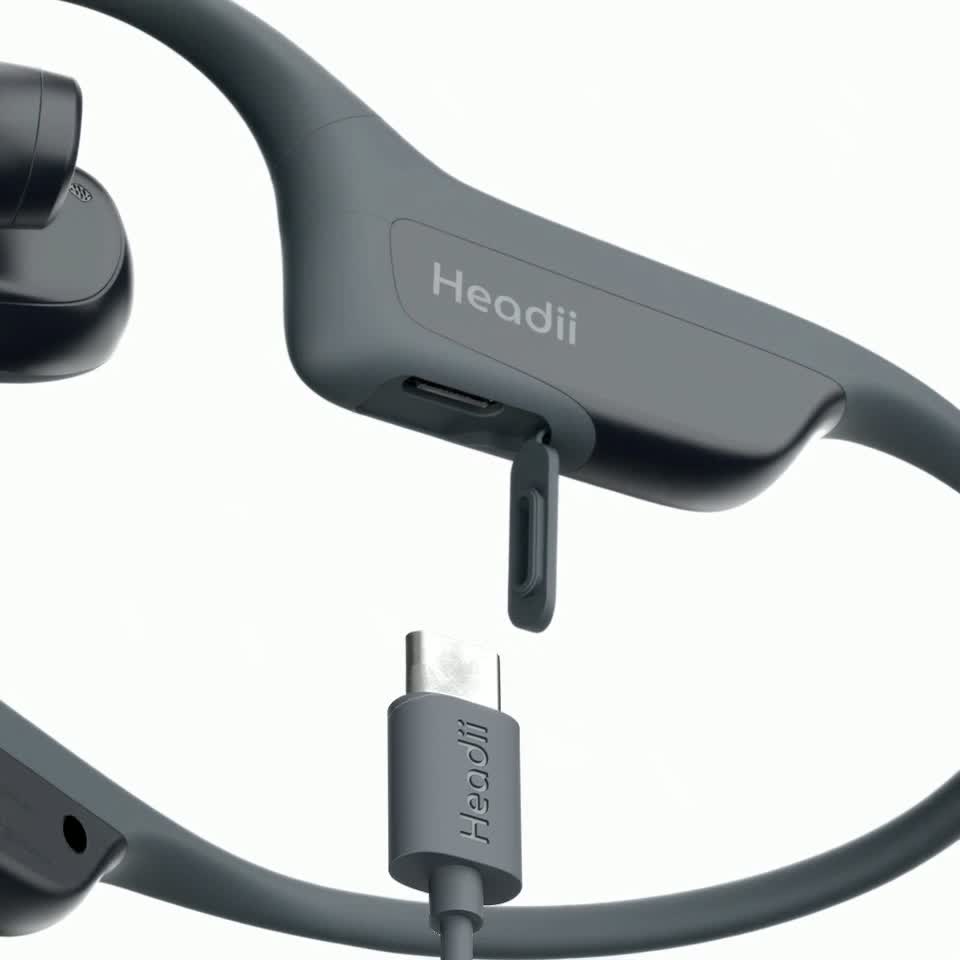
Open the cover
Open the charging port cover.
2
Connect the cable
Insert the included USB-C cable into the charging port, then connect the other end to a compatible USB power source.
3
Check the indicator
The status light is solid red while charging and solid green when fully charged.
Make sure the charging port is dry before connecting the cable.
Use the included cable. Make sure the port and cable are dry and undamaged.