Your account & data
Delete your Headii account
You can delete your account in the Headii app. If you can’t access the app, you can request deletion by email without reinstalling it.
Headii is operated by DOLLAR JUDGE INC.
Before you delete your account
Save or export any information you want to keep before confirming. You won’t be able to restore your account after deletion is complete.
Deletion covers your Headii app account and associated personal data. Your account will no longer be available for sign-in, and linked Headii devices will be unpaired from it. Cloud data associated with the account is included in the deletion request, subject to the retention exceptions below.
Account deletion does not remotely erase files already saved on your phone or an offline device. Remove local copies separately if needed. If you have an App Store or Google Play subscription, manage or cancel it with that store; do not assume deleting your account stops billing.
Delete your account in the app
Open the Headii app and sign in to the account you want to delete. Follow the four steps below. Select any screenshot to view it at full size.
Account Login & Security Delete Account Continue Deletion
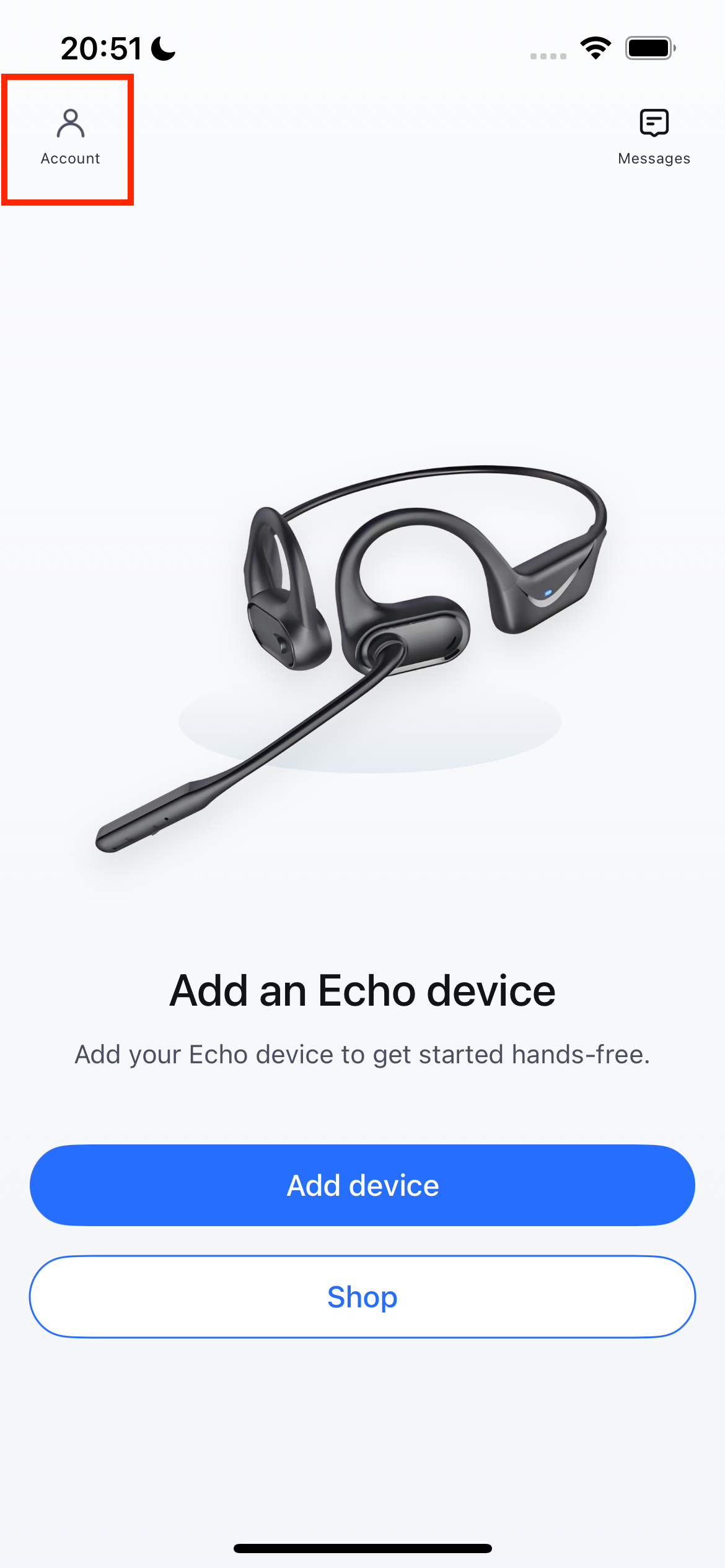
Open Account
On the app’s home screen, tap Account in the top-left corner to open Settings.
 View full-size screenshot
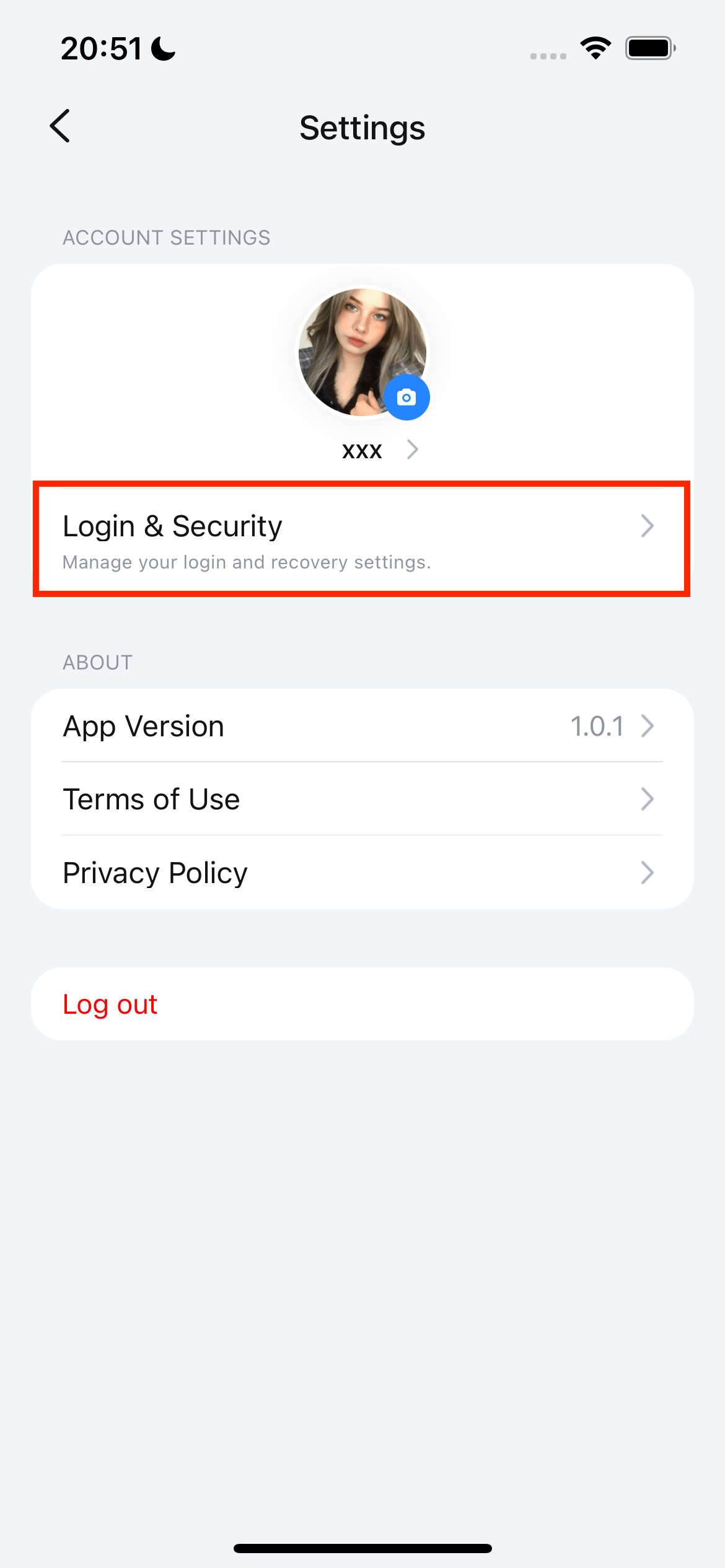
Tap Login & Security
In Settings, tap Login & Security under your profile.
 View full-size screenshot
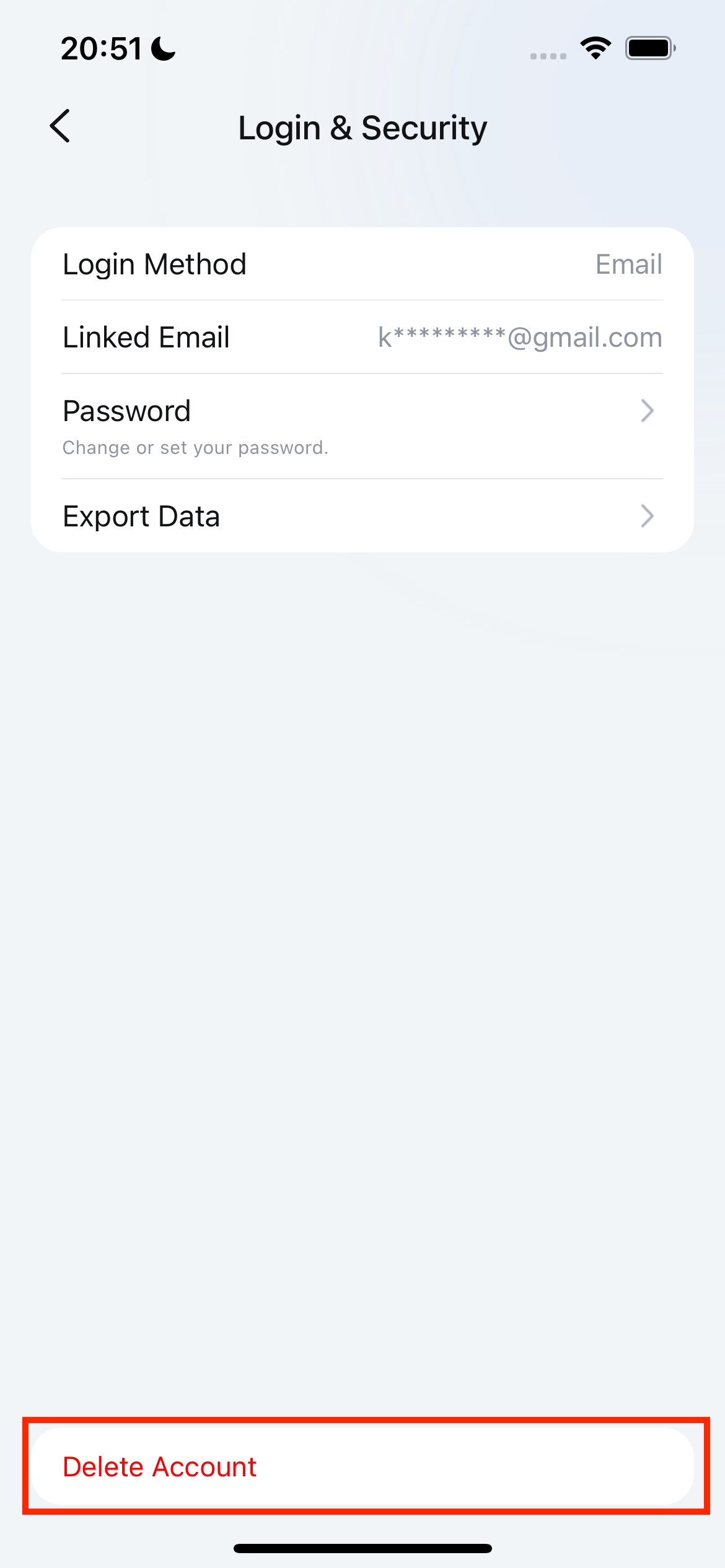
Tap Delete Account
On the Login & Security screen, tap Delete Account at the bottom.
 View full-size screenshot
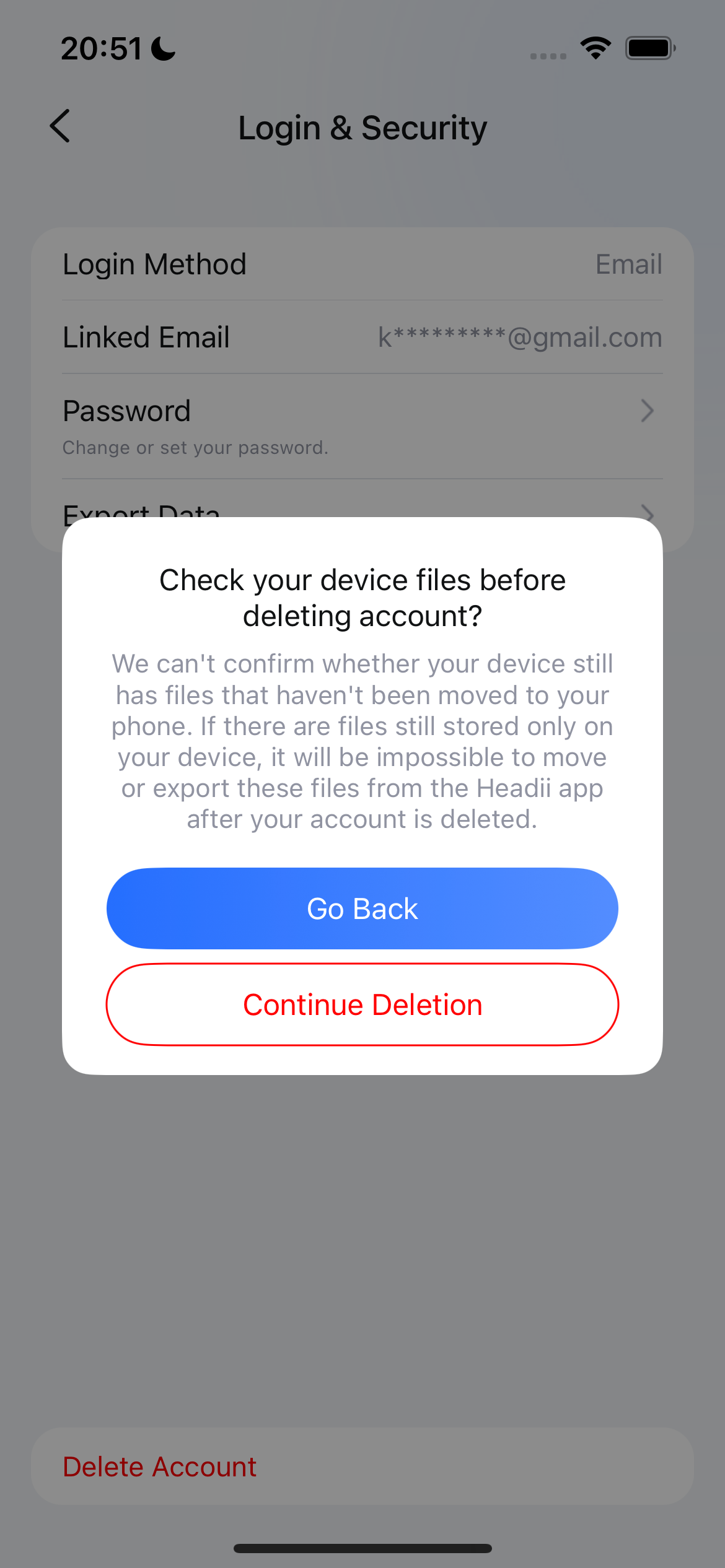
Review and continue
Read the device-file warning. If you still need to save files, tap Go Back. When ready, tap Continue Deletion and follow the remaining confirmation prompts.
 View full-size screenshot
If you use Sign in with Apple or Google, use that same method to access your account. If you can’t sign in or find the deletion option, use the email request below.
No app access needed
Request deletion by email
Send your request to support@headii.com with the subject “Headii account deletion request”. Tell us your original sign-in method and, if known, the email address or phone number linked to the account.
Used Sign in with Apple?
If you chose Hide My Email, include the relay email address shown for Headii in your Apple Account settings, if available. This helps us find the right account; your personal email address may be different.
On iPhone or iPad, open Settings → [your name] → Sign in with Apple → Headii to view the email address. You can also follow Apple’s guide to finding your linked apps and email address (opens in a new tab).
Can’t find the address or receive emails there? Tell us in your request so we can help you identify the account and discuss the verification options available.
For email requests, we must verify account ownership before deleting the account. Providing an email address alone does not verify ownership. Never send your password or verification codes by email.
Email a deletion requestOpens your email app. Your request is sent only when you send the email. You can also write to the address above using any email service.
What happens after your request?
For email requests, our support team will explain any verification needed and the expected processing time. An email request alone does not immediately delete or lock your account.
Once deletion is accepted for processing, account access is disabled and cloud cleanup runs in the background. Submission and completion are separate steps. We’ll notify you when deletion is complete using an available, verified contact method.
Data that may need to be retained
Limited records may be retained where required or permitted by law, such as tax and transaction records, security and fraud-prevention records, and evidence needed to resolve disputes. Retention is limited to what is necessary for those purposes. Where an exception applies, we’ll explain what is retained, why, and the applicable retention period.
This page concerns your Headii app account. If you also want to request deletion of website reservation, shopping or marketing data, include that in your email so our team can address it separately.